Scoreboard Operation Guide
Learn how to operate the grounds scoreboard with easy instructions, images, and contact information.
Setting up the Scoreboard
Get the grounds laptop bag from the bar.
Plug in the laptop to power
Connect the transmitter to both USB ports
Start up laptop, password: scoreboard
Creating a game.
Ope the Scoreboard app on the desktop screen, if the app is already open from its last use click "File", "Exit" and then open it again.
Click "File", "New"
Game Name: Any random letter works
Points: 1
Display Period: tick
Display Game Time: tick
Display Clock: untick
Period Colour: Yellow
Game Time: White
Home Team: Choose a colour close to their kit, for Hale select "Cyan"
Away Team: Choose a colour close to their kit.
Scores Colour: White
Warm up Time: 8 min (if there is enough time)
Period Time: Refer to "Match Timing Details" below: (12,15 or 17 mintues)
Time: Down
Timing periods: Fours
Half Time: 5 min
Quarter Time: 2 min
"Open"
Remember:
Start your shift on Deputy
Ask bar tender to water turf and turn on the lights when needed.
If a player gets carded you control when they go back on, so pay attention to the time when they sit on the chair, when their time is up you let them know they can go back onto the field.
Editing the game in progress
Complete the form and mail it back to umpiring@halehockey.com.ao
Download the Deputy App.
When shifts become available register your availability.
Make sure you start and stop your shift.
Match timing details
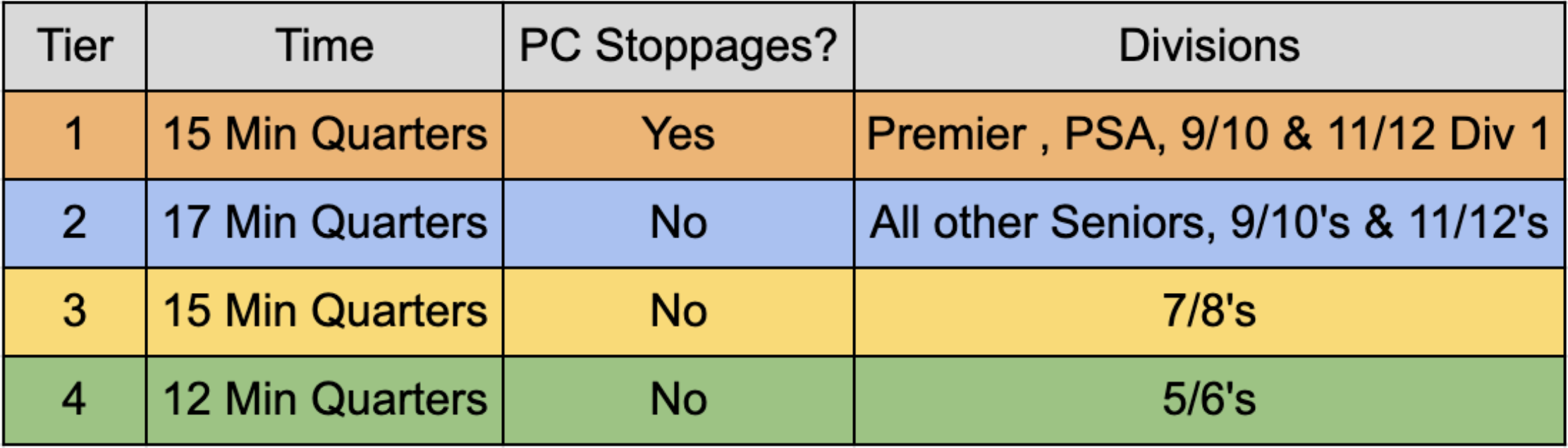
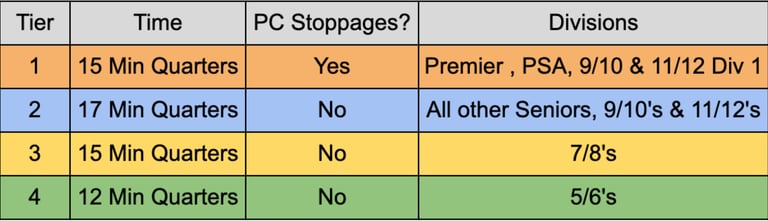
Match timing details
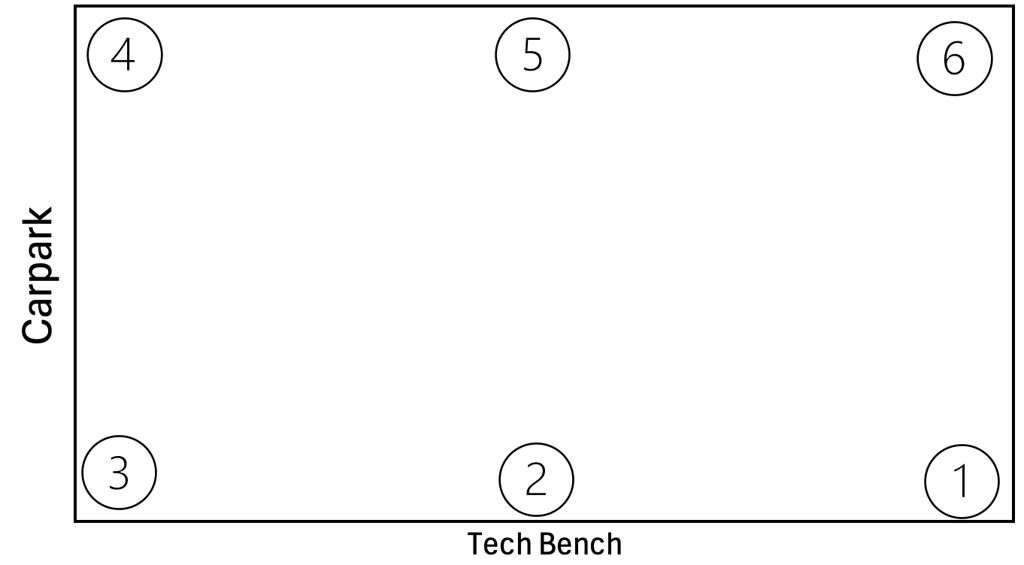
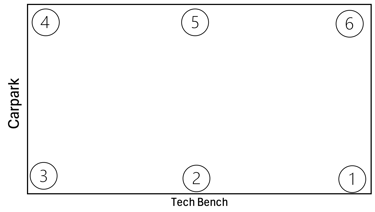
Sprinkler Map
Sprinkler Programs
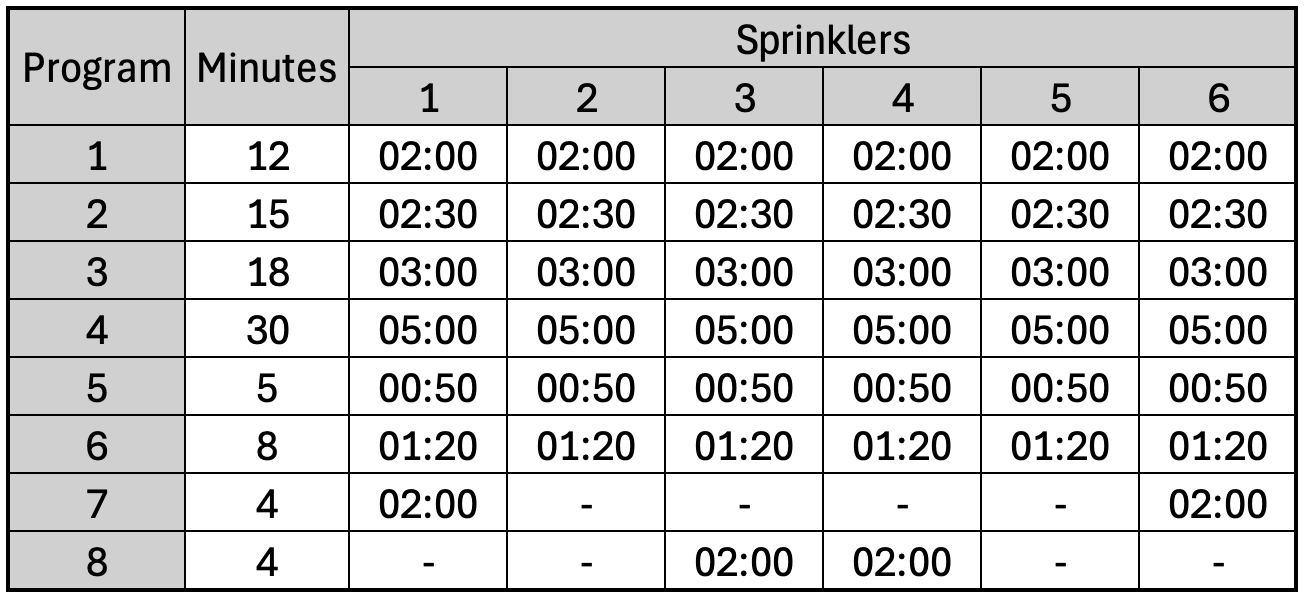
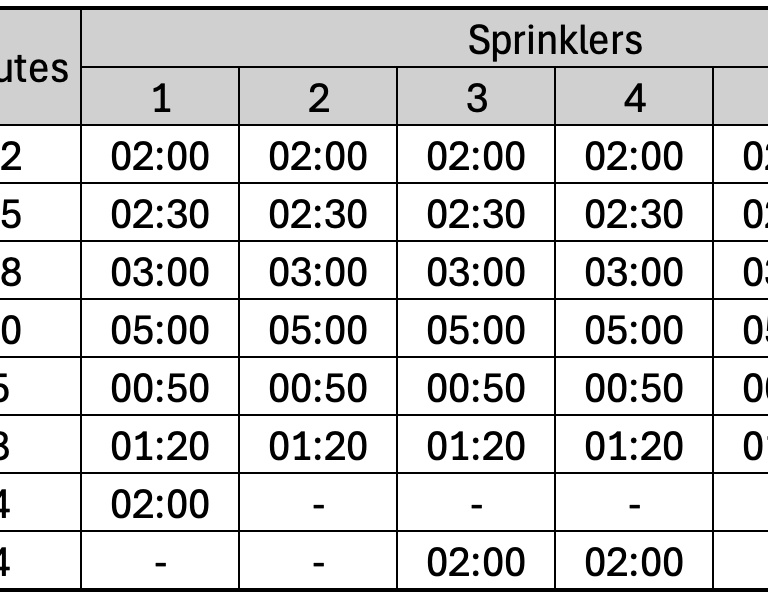
Sprinkler Programs
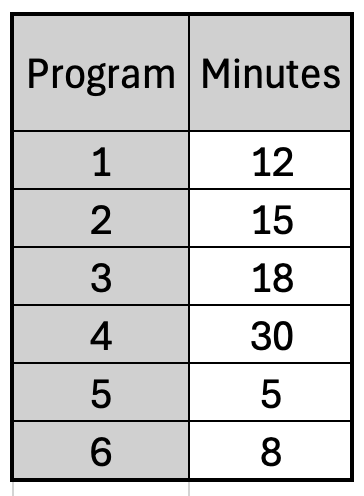
Water by program
> x2
Enter x3
(program number)
Enter x2
> x2
Enter
>
Enter
(Starting station number) (ending station number)
Enter
(Time per station)
Enter x2
Water by station
Turn sprinklers off
On/Off Short x2
Enter
Getting paid for your shift
Complete the form and mail it back to umpiring@halehockey.com.ao
Download the Deputy App.
When shifts become available register your availability.
Make sure you start and stop your shift.
Apply to work with us.
Send your video application to umpiring@halehockey.com.au telling us about yourself, your availability, and why you think you can do this role.
Please include previous employment experience.
Contact Us
Any issues please contact Kristen 0401589191 or at umpiring@halehockey.com.au
Umpiring
Resources and updates for junior umpires in 2025.
Kristen Britz
Connect
umpiring@halehockey.com.au
0401 589 191
© 2025. All rights reserved.